


Customization is no longer an optional “extra” for modern-day construction estimators. It’s a requirement.
Whether you’re estimating complex builds, competitive bids or fast-track projects, your software setup can make or break your accuracy. The right customization strategy ensures that your estimates reflect how your company actually works.
What We’ll Cover:
- Why customization matters in estimating software and how it affects profitability
- Core areas to focus on, including databases, labor, markups and reporting
- Practical steps to build and maintain custom setups that match your real workflows
- Common pitfalls to avoid when personalizing your system
- Key takeaways and recap to help you assess your own setup
Each of these points connects back to one central idea: the more your estimating software reflects your real business, the more useful (and profitable) it becomes.
In the following sections, we’ll break down where customization makes the biggest difference, how to approach it strategically and how to make those improvements stick.
Why Customization Matters in Estimating Software
In today’s competitive construction environment, estimators can no longer rely solely on “out-of-the-box” settings.
The difference between a profitable bid and a costly one often lies in how well your estimating software reflects your business — your labor rates, material vendors, overhead costs and risk contingencies.
With modern estimating software, you can add your own products, labor rates, markups such as tax rates, overhead and profit and even define if specific jobs are bonded, ensuring that your estimates accurately detail the way your business really works.
And customization ensures that your software doesn’t simply work; it works the way you work. Without it, you risk estimates that reflect the generic, not the specific.
Core Areas You Should Customize
When your estimating software is tailored, you gain precision and speed. Each of these settings gives you stronger control over bidding and cost forecasting:
Item & material databases
Customizing the item database means making sure you’re using your specific vendors, part numbers, waste/rate assumptions — rather than a generic library.
Within a modern estimating software’s knowledge base, you’ll find how to customize columns in the items database to align with your business codes and units.
Map preferred vendors by trade, live price files to items and save ‘favorite’ supplier/sku pairings so pricing pulls stay consistent across bids.
Labor rates & productivity settings
Your labor costs are not one-size-fits-all. By entering your actual productivity factors, union vs open-shop rates, overtime policies and crew mixes, you avoid the “last-minute scramble” when the bid gets real.
Markups, overhead, profit and job conditions
With modern estimating software, like The EDGE®, you can “add your own … overhead and profit and even define if specific jobs are bonded.”
That means you can build templates so that bonded jobs, premium jobs or rush jobs automatically carry appropriate markup or contingency settings.
Trade-specific templates and condition codes
Different trades work differently — roofing vs drywall vs concrete have distinct workflows. When you tailor templates for each trade, you gain speed and consistency.
Reports and outputs
An estimate is only valuable if you can present and analyze it. With the right estimating software, you can create custom in-depth reporting that is easily customizable to get the information you need, when you need it.
Customize reports so stakeholders get the right view. Add supplier source and last-updated pricing to report templates and enforce ‘Favorites’ mappings so exported bids remain consistent and easy to audit.
Practical Steps and Best Practices for Customization
Customization doesn’t have to be overwhelming if you approach it systematically. Here are steps to follow and how they thread into practical application.
- Audit your current workflow & pain points: First ask: where are estimates getting bogged down? What parts of your business aren’t reflected in the software?
- Create a “master template” for your typical project: Use your most common job type, trade or size, and build a template including material lists, labor, markups, contingencies. Then customize variations from this baseline.
- Use your actual data (not averages): Many estimators over-rely on generic productivity or industry averages. Where possible, pull in your own historical data so the customized settings reflect your business.
- Set permissions and naming conventions: To maintain integrity, create clear naming conventions for templates, variations and ensure only approved users modify them.
- Update and review regularly: A customized setup isn’t “done” once. As your business changes (new vendor, new trade, labor changes), revisit templates. “Copy and insert” reports into your software to keep things consistent.
- Train your team on the customized setup: Even the best customization fails if the team doesn’t use it properly. Run a session to show the new templates, explain why each setting exists and how it benefits job cost and project forecasting.
When done well, customization accelerates bidding while also aligning the estimate with execution reality.
Common Pitfalls and How Customization Helps Avoid Them
Even with customization, there are traps. Being aware of them helps you build safeguards.
Pitfall: Blindly using default rates or libraries
If you leave the vendor/material library untouched, you risk bid creep, inaccurate margins and rework. Custom pieces ensure your estimate reflects what you buy and build.
Pitfall: Over-customizing and making it overly complex
Customization is not an excuse to create dozens of templates that no one uses. Keep it streamlined, maintain clear naming, keep version control.
Pitfall: Not communicating changes (and user training)
Software is only as good as the person using it. If customizations are not communicated, duplicated files or old templates silently creep in.
Pitfall: Failing to align estimate with job
Overhead and indirect costs are important to calculate beyond the basic direct costs. If your estimating software doesn’t model indirect costs, your bids may look strong, but the job execution may underperform and your job will overrun. Customizing overhead/indirect cost layers helps you avoid this.
Pitfall: Not using trade-specific settings
Good estimating software adapts to the specific needs of each trade and includes trade-specific databases. If you ignore these, you’re under-leveraging the speed/custom benefit.
What Estimators Should Remember
In short, the value of customizing estimating software hinges on aligning the tool with your business. Here are major points to carry forward:
- Customization allows you to convert a generic estimating platform into a business-aligned engine for cost control and bid competitiveness.
- Focus your customization on item/material data, labor/productivity, overhead/markup settings, trade-specific templates and reporting/output formats.
- Use a structured step-by-step approach: audit workflow, build master template, train users, review periodically.
- Be aware of pitfalls — over-complexity, lack of training, ignoring indirect costs, sticking with default libraries.
- Ultimately, when estimating software reflects how you build, you estimate faster, more accurately and with stronger margin protection.
Take a moment now to open your estimating software’s template or database setup — ask: “Does this reflect us, or someone else?” If it leans toward someone else, you might already be missing value. Customize the tool — and reclaim time, accuracy and margin.
Putting It Into Practice With The EDGE
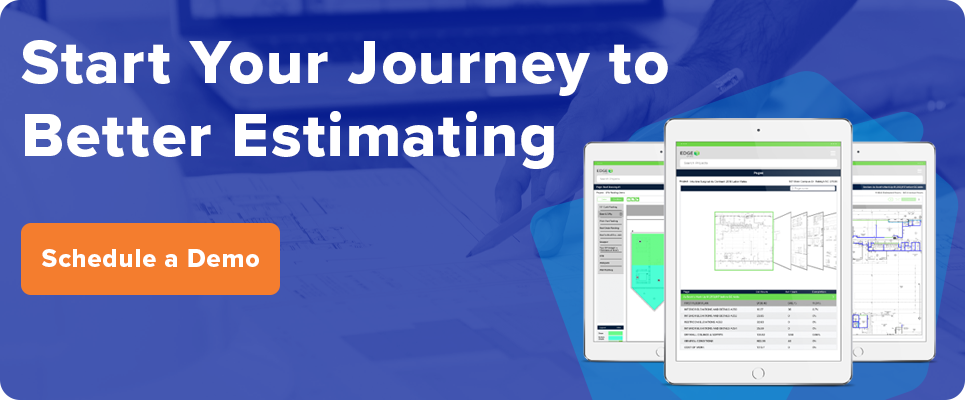
The EDGE is a trade-focused commercial estimating and digital takeoff platform designed for commercial contractors who need detailed, customizable bids without slowing their teams down.
Instead of forcing you into generic templates, it lets you build and reuse your own databases, conditions, labor tables and reports so your estimates actually reflect how your company bids and builds.
With The EDGE, you get:
- Trade databases you can make your own
Organize items by trade — roofing, interiors, drywall, etc. — so each uses its own condition codes, units, waste factors and preferred vendors; set these trade versions as the defaults in their templates. - Labor tables and production factors
Apply your rates, crews and conditions (height/pitch/material) to tighten labor - Built-in markups and conditions
Standardize overhead, profit and bonded/premium/rush rules in templates - Reports that match your reviews
Customize recap/management/proposal outputs by job, phase and alternates. Then save report presets in the cloud so teams can pull the same layouts from anywhere, share live links with role-based access and schedule automatic exports after each payroll or estimate sync.
Taken together, these tools turn The EDGE into a customizable estimating hub where your trade data, labor assumptions and markups stay aligned from one bid to the next.
To see The EDGE in action, contact us for a demo.